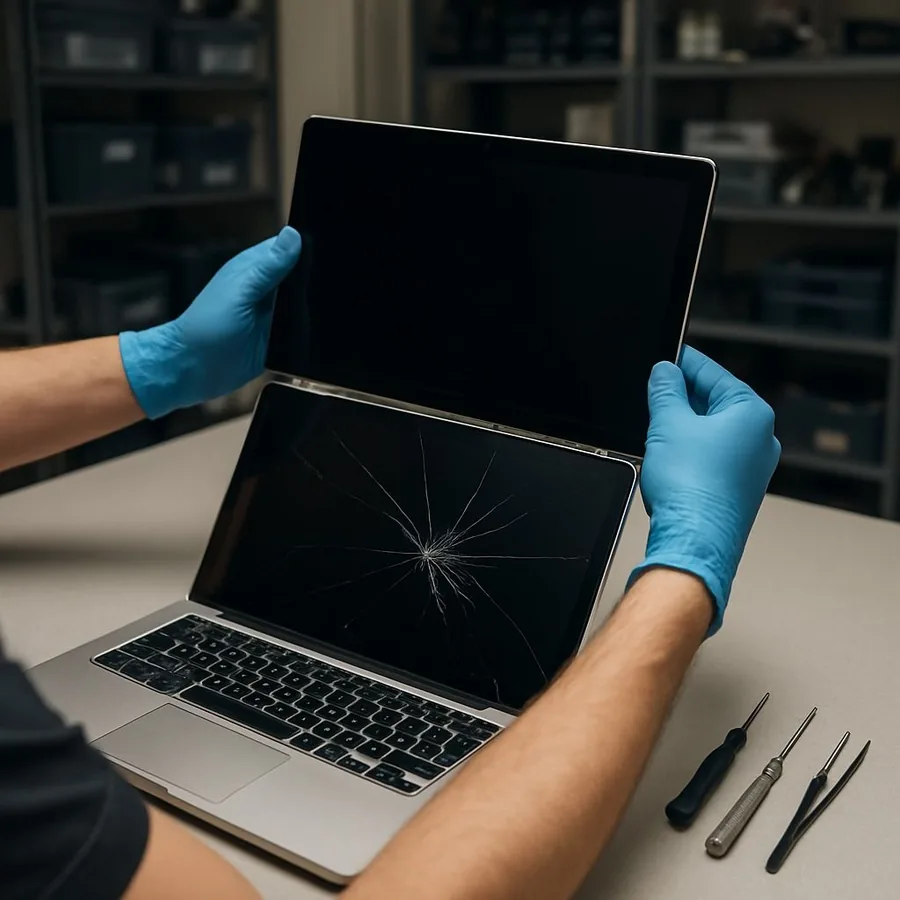




Laptop screen replacement — or is it something else?
Before you pay for a new panel, it is worth proving the panel is the problem. The simplest test is one you can do at home: connect the laptop to a TV or monitor with an HDMI cable and press Windows + P to choose “Duplicate”.
- External picture is perfect: the laptop is fine. The fault is the panel, its cable, or (rarely) the connector on the board. Laptop screen replacement or a cable will fix it.
- Same lines or artefacts on the external screen: the problem is the graphics chip or motherboard. A new panel will not help, and we will tell you so before you spend anything.
- Screen black, but you can just see the desktop with a torch shone at an angle: the backlight has failed. On modern LED panels the backlight is built in, so the panel is replaced.
Flicker that changes as you move the lid usually points to the display cable, which runs through the hinge and wears over years of opening and closing. That is often a cheaper fix than a new screen.
This is exactly what our free diagnosis covers. You leave knowing which part failed, not just a guess.
Panels, touchscreens and why your model number matters
Two laptops of the same size can take completely different screens. When we match a panel we check:
- Resolution: HD (1366×768) and Full HD (1920×1080) look very different. We fit what you had, or an upgrade if your model supports it.
- Connector: most panels use a 30-pin or 40-pin eDP connector. The wrong one simply will not plug in.
- Refresh rate: gaming laptops often have 120 Hz or 144 Hz panels. A standard 60 Hz panel would work, but you would lose the smoothness you paid for.
- Panel type and finish: TN, IPS or OLED, matte or glossy — this changes viewing angles and colours.
- Mounting: some panels screw in with side brackets, others are held by adhesive strips.
Touchscreens and 2-in-1 laptops are a different job. The glass, touch layer and display are usually bonded into one assembly, so a cracked touchscreen means replacing the whole assembly — not just the glass. Some very thin laptops and MacBooks only take a complete lid assembly. These cost more, and we will tell you up front.
To speed things up, send us the model number from the sticker under the laptop (or Settings → System → About).
Hinges: the hidden cause of many cracked screens
A lot of the “I didn’t drop it” cracked screens we see in Gombak start at the hinge. Over time a hinge can stiffen, especially if dust and grime get in. Every time you open the lid, the stiff hinge pulls on the plastic mounts inside the lid instead of turning smoothly.
The signs come in stages:
- The lid feels harder to open than it used to.
- The bezel around the screen starts to lift or pop near one corner.
- The back cover separates from the base, or a crack appears near the hinge.
- The panel itself cracks from the twisting, or the display cable is pinched.
If you catch it at stage one or two, freeing or replacing the hinge and re-securing the mounts is usually enough. Leave it, and you may need a hinge, a housing and a panel. When we replace a screen we always check the hinges for this reason — there is no point fitting a new panel into a lid that will crack it again.
A habit that helps: open the lid from the centre with one hand while holding the base, rather than lifting from one corner.
When to bring it to us — and when you can wait
Be honest with yourself about how you use the laptop. If a small crack is in the corner, the picture is otherwise fine and you mostly use an external monitor at home, you can wait a while. Back up your files now, though, and keep pressure off the lid — cracks spread, and a carried-in-a-bag laptop gets squeezed every day.
Bring it in sooner if:
- The black blot or lines are spreading, or the screen flickers on and off.
- The hinge is stiff, the bezel is lifting, or the lid wobbles.
- The glass is broken and could cut you, or splinters could fall into the keyboard.
- It is a touchscreen and it is registering “ghost” touches.
We are at Plaza Idaman, Medan Idaman — easy to reach from Batu Caves, Setapak and Gombak LRT. Book a drop-off, or WhatsApp your model and a photo first. For other faults see our main laptop and PC repair page.
Before you come in
- Connect to a TV or monitor with HDMI to check the laptop still works and your files are reachable.
- Back up important files while you can, using the external display.
- WhatsApp us the model number from the sticker under the laptop, plus a photo of the damage.
- Stop pressing on the crack — it spreads, and broken glass can cut.
- Open the lid from the centre, not from one corner, until it is fixed.